









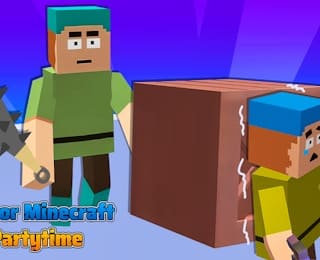
How to Play Horror Minecraft Party Panic-Horror Minecraft: Party Panic
Similar Games


























How to Play Horror Minecraft Party Panic
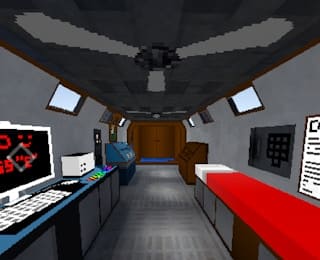
Horror Minecraft: Party Panic is a thrilling hide-and-seek game set in a spooky blocky world. To start playing, simply click the play button on the main menu and select one of the two heart-pounding game modes.
Game Modes
The game features two distinct roles that players can choose from:
- The Seeker: Your goal is to find and tag all the cleverly camouflaged creatures hiding in the environment.
- The Hiders: Your objective is to remain hidden from the seeker and survive until the timer runs out.
Gameplay Loop
Once the round begins, hiders must quickly find a hiding spot. The environment is filled with blocky structures that can be used for camouflage. Seekers must use their strategy and observation skills to spot the hidden foes. The game is timed, so both teams must race against the clock to achieve their objectives.
When a seeker finds a hider, the hider is tagged. If the seeker tags everyone before time runs out, the seekers win. If the hiders survive until the timer reaches zero, the hiders win the round.
Game Rules
Understanding the core rules of Horror Minecraft: Party Panic is essential for both seekers and hiders. The game is fundamentally a timed race against the clock, with specific win conditions for each role.
Seeker Rules
- Your objective is to locate and tag all the hidden creatures before the timer runs out.
- Seekers must use observation and strategy to find players who are cleverly camouflaged in the blocky environment.
- If you tag all hiders, your team wins the round.
Hider Rules
- Your goal is to remain hidden from the seeker and survive until the countdown reaches zero.
- Hiders must use the blocky structures and camouflage mechanics to avoid detection.
- If the timer expires and at least one hider is still hidden, the hiders win the round.
Controls
Horror Minecraft: Party Panic is designed for seamless web browser play. The game utilizes standard HTML5 controls to ensure a smooth experience on both desktop and mobile devices.
- Navigation: Use the WASD keys or Arrow Keys to move your character through the blocky terrain.
- Camera/Look: Move your Mouse to look around the environment and spot potential hiding spots or hidden creatures.
- Interact/Tag: Use the Left Mouse Button or Spacebar to interact with objects or tag opponents when playing as the seeker.
These intuitive controls allow you to focus entirely on strategizing and reacting to the fast-paced hide-and-seek gameplay.